How do I provide additional context to Panther AI for alert analysis?
Last updated: February 11, 2026
QUESTION
How do I give Panther AI additional context for analyzing alerts, such as environment summaries or automated search results?
ANSWER
You can provide additional context to Panther AI in two main ways:
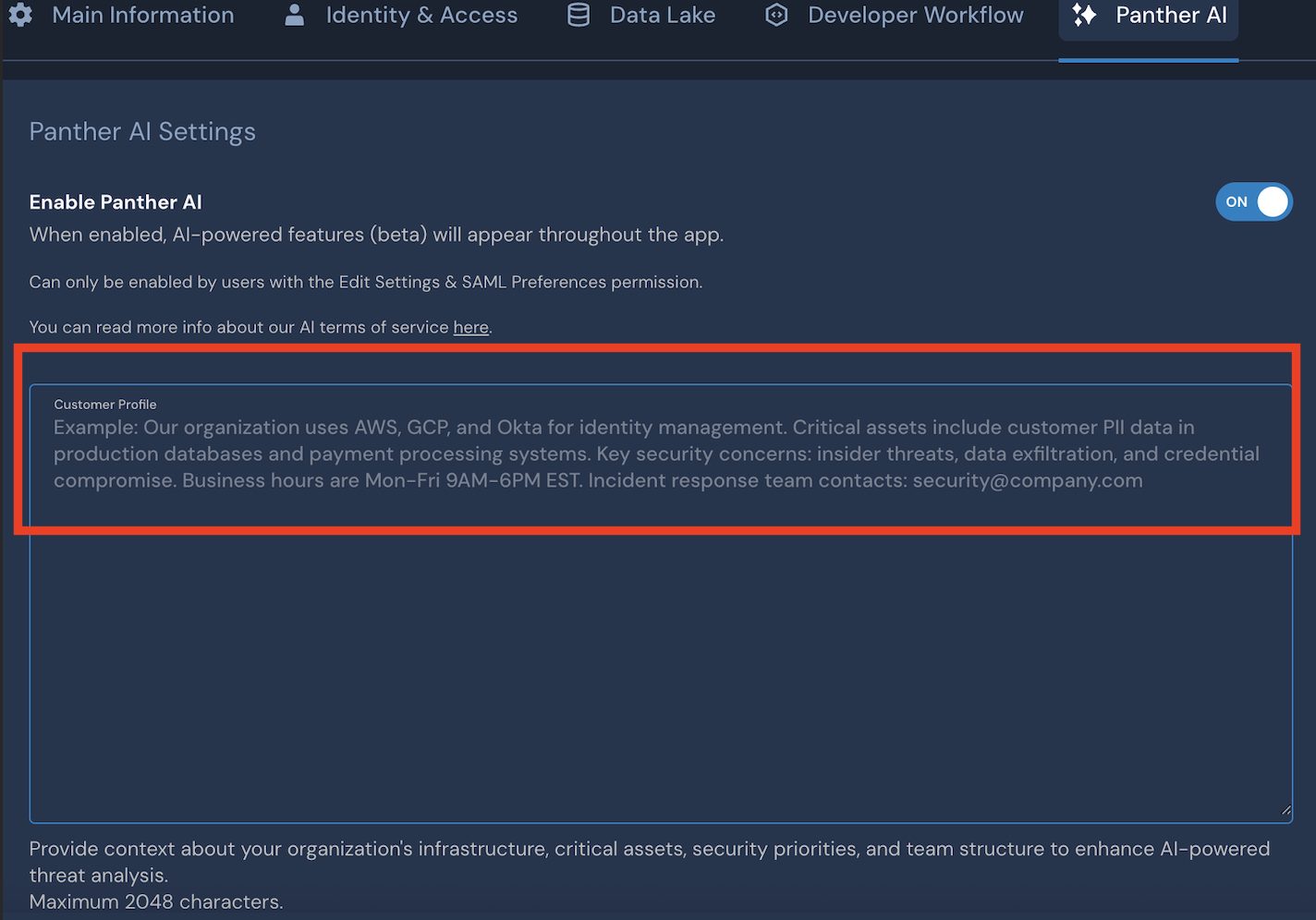
Organization Profile Context
You can add general organizational context in the "Organization Profile" section on the settings page. This context will be available to Panther AI across all alert analyses. See the documentation for more details.
Detection-Specific context via Runbooks
For alert or detection-specific context, you can include information in the "runbook" field of a detection. This allows you to provide targeted guidance for specific types of alerts. See the Panther AI examples for more details.
Also, the Panther AI can automatically read through the comments of the alert during the alert triage.