How are the results for the table filter in Search populated in Panther?
Last updated: June 17, 2025
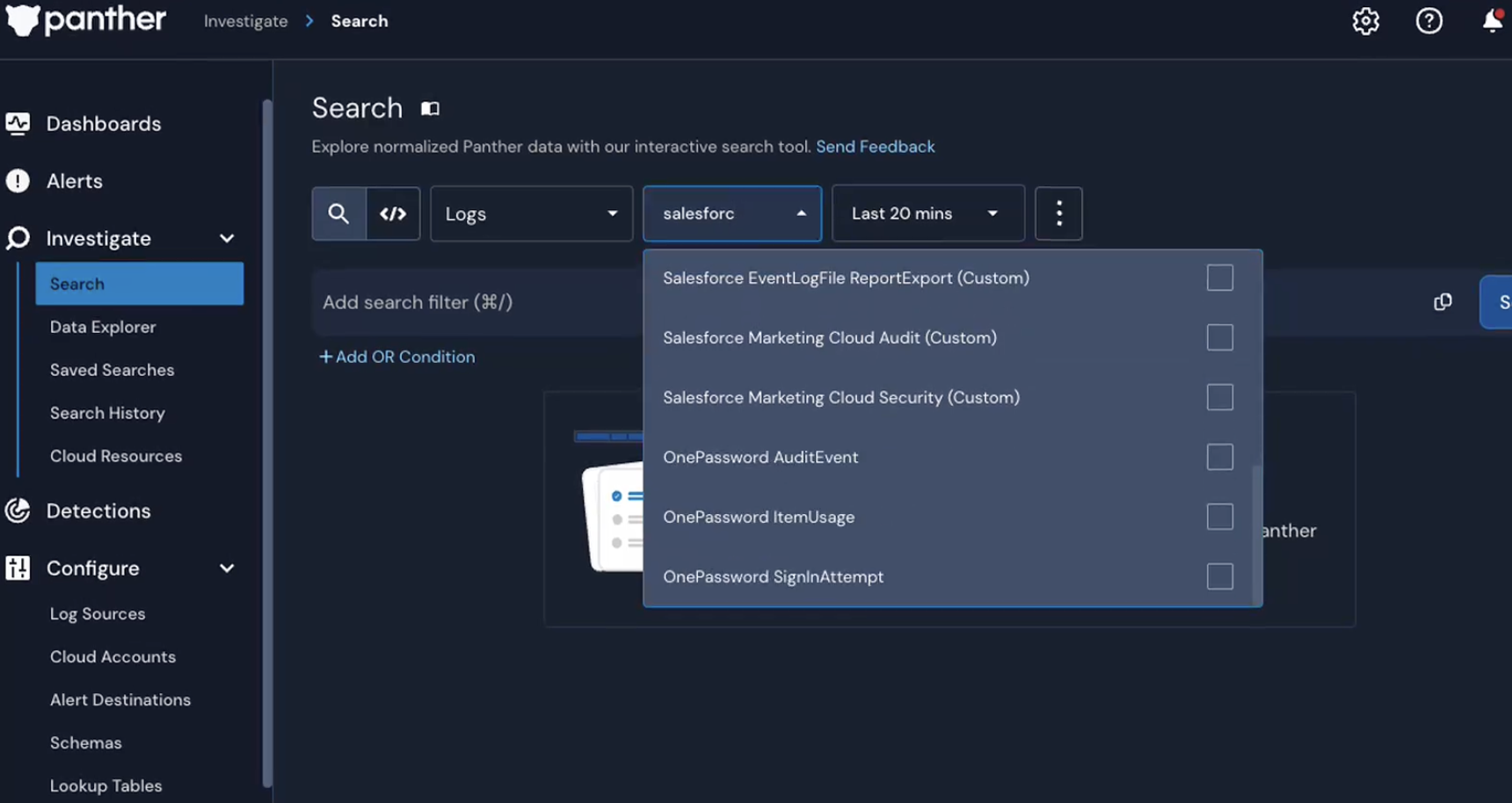
In the Investigate > Search page in the Panther Console, when I expand the table filter and begin typing a value, I see table names in the results that aren't an exact match and don’t seem related.
For example, when I enter salesforce, the table for "1Password" appears in the results, even though 1Password isn't connected to Salesforce at all. Is this expected?
ANSWER
Yes — this is expected behavior. The table dropdown uses a fuzzy search to help return the most useful results, even if you don’t type the table name exactly. This kind of search looks for patterns that are close to what you typed, not just exact matches.
The most relevant results are shown at the top, but occasionally, other tables with similar characters or structure may appear further down. While some of these results might seem unrelated, they’re a natural outcome of fuzzy matching and can usually be ignored.
This approach is meant to improve the overall search experience, especially when you are unsure of the exact table name or make a small typo.