How can I find my user ID to use it in a GraphQL API operation to update alerts in Panther?
Last updated: December 20, 2024
To find your user ID, which is required for executing an API operation to update alerts, you can try running a query to retrieve the user details, while using your email as input:
query user {
  userByEmail(email: "example@domain.com") {
    id
    givenName
    familyName
    email
    role {
      name
      id
      permissions
    }
    status
    createdAt
  }
}
The email should be the one associated with your user when looking at the Users page of the Panther Console.
An example output that you'll see when running the above operation is shown below:
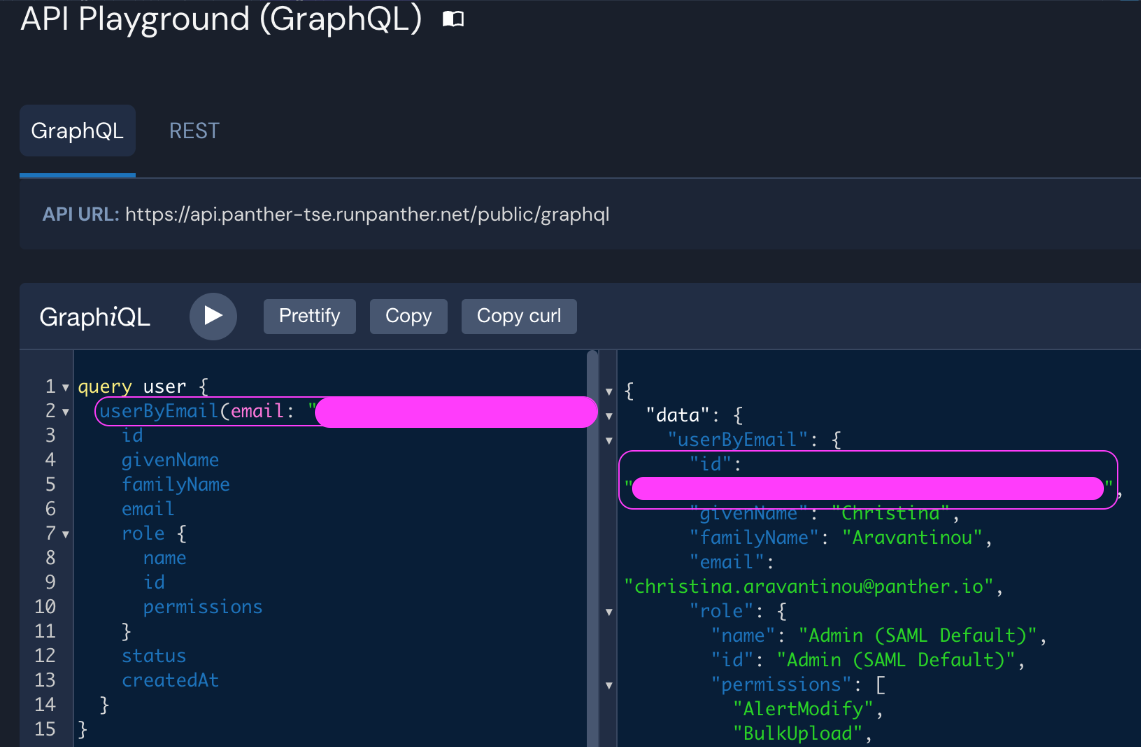
The field data.userByEmail.id in the output will contain the desired user ID.