How do I retrieve full query details from Panther audit logs when SQL queries are redacted?
Last updated: December 11, 2025
QUESTION
How can I retrieve the query details from the Panther audit log EXECUTE_DATA_LAKE_QUERY action when the log redacts the SQL query?
ANSWER
To get the full query details, you will need to join the logs from panther_logs.public.panther_audit with the SNOWFLAKE.ACCOUNT_USAGE.QUERY_HISTORY table using the query_id field.
Here's an example join query:
SELECT
   a.actor:attributes:email,
   a.actionname,
   b.start_time,
   b.execution_status,
   b.query_id,
   b.query_text,
   a.actor:attributes:roleName
FROM
   panther_logs.public.panther_audit a
   JOIN SNOWFLAKE.ACCOUNT_USAGE.QUERY_HISTORY b
   ON a.actionDetails:"executeDataLakeQuery.id" = b.query_id
WHERE
   a.actionname = 'EXECUTE_DATA_LAKE_QUERY'
   and b.user_name = 'PANTHER_READONLY'
   and b.start_time >= '2025-09-15'
   and b.query_text != 'SELECT 1'
LIMIT 10
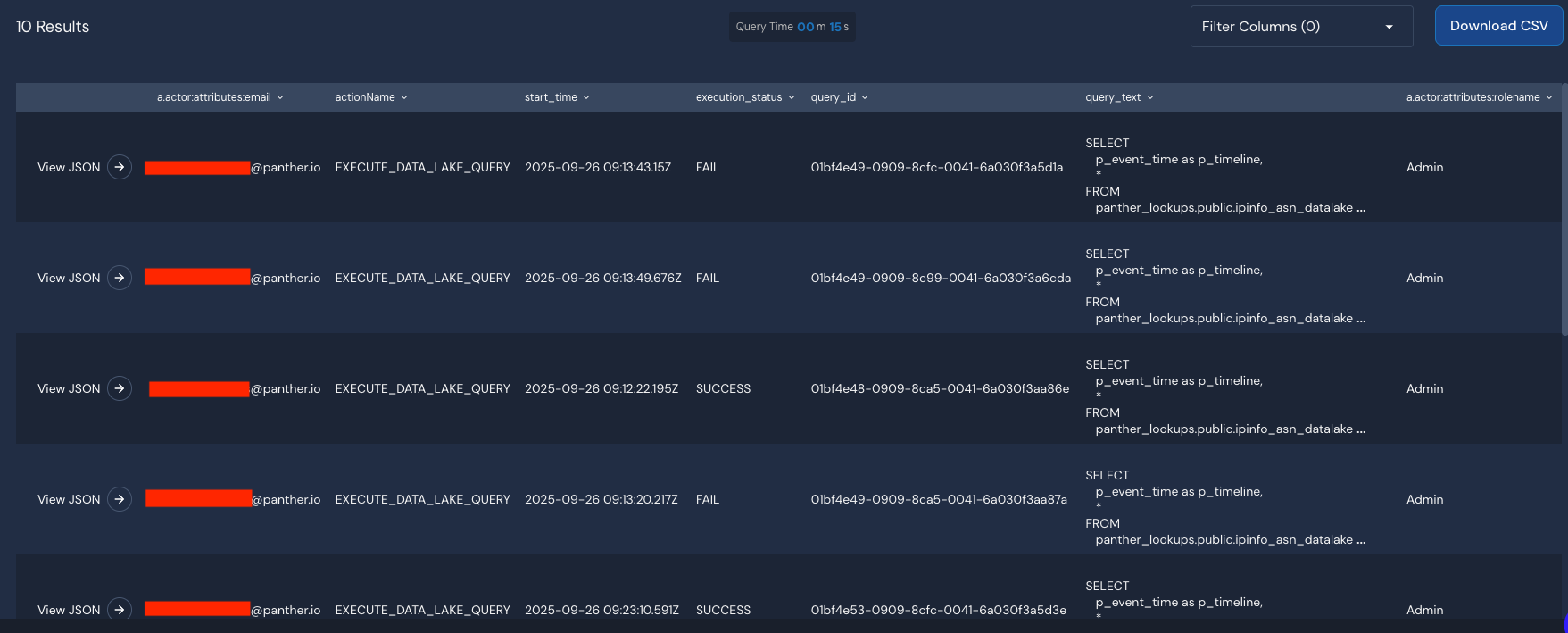
This query will provide:
User email and role information
Complete SQL query text, including table names from Snowflake's query history
Query execution details and timestamps